Technology is ever-changing and, because of that, so is marketing. The evolution of the metaverse is just one recent development in the world of technology, but one that will have a huge impact on the human experience as we know it.
While digital marketing has seen many advances over the last few decades, the metaverse is one that has stumped many companies and marketers. How can they use the metaverse to their advantage so they aren’t stuck in the dark ages?
In this post, I’ll introduce the metaverse. This will include a breakdown of what it means and a look at both its current and future states. I’ll then introduce the various ways marketers can expect to use the metaverse in the years to come, as well as how they can get their foot in the door.
What Is the Metaverse?
The metaverse as envisioned by Matthew Ball, a venture capitalist and writer, and later on Zuckerburg, is “an expansive network of persistent, real-time rendered 3D worlds and simulations.”
Put more simply, the metaverse is a currently hypothetical version of the internet that supports online 3-D virtual environments. This is done through personal computing (a current example is the online game Second Life), virtual reality headsets, and augmented reality headsets.
That’s not to say that elements of the metaverse don’t exist currently. There are games like Roblox and Fortnite that form the basis for what many consider to be the future of the metaverse. More specifically, virtual avatars who can interact with their virtual environment, and other players. They can also purchase merchandise in-game, such as clothing and decorative accessories, to personalize the experience.
Metaverse and NFT: How Are They Related?
An NFT, or non-fungible token, is anything digital that cannot be replaced as it doesn’t have a tangible value. The most common forms of NFT today are digital art like animations. However, within the metaverse, an NFT can become so much more.
According to Morgan Stanley, the multinational investment bank, NFTs have the potential to become a $56 billion market by 2030. How? All thanks to the demand the metaverse will create.
With the increase in virtual avatars, the demand for virtual fashion will skyrocket. The need to personalize oneself within the digital space is undeniable and fashion is one of the easiest ways to do so. Just look at the success of markets found on Fortnite and Roblox, virtual games with an avatar.
How Will the Metaverse Impact Marketing?
If you haven’t considered how the metaverse will impact marketing, then you’re already behind the curve. The metaverse isn’t an “if” but a “when.” That is, it’s an inevitability. The metaverse will impact marketing in many ways, some of which you can begin to implement now.
Virtual Reality
Virtual reality isn’t new. In fact, it’s been around in one variation or another for decades. Of course, it’s improved leaps in bounds in recent years, and it will continue to do so in the years to come.
From product development to the sale of existing products or services, virtual reality enables you to bring your customers into the fold. They can play an active role in all stages of the process. Who says “no” to free product research?
Even more, many customers will seek out such opportunities as opposed to hiding from them like they do with online advertisements. The generations coming of age now and in the next 15 years, largely Generations Z and Alpha, will feel more at home within these environments than any other generation before them.
Augmented Reality
Unlike virtual reality which takes over your vision, augmented reality just adds elements to it. Think of “smart glasses” or the popular mobile game Pokemon Go. These devices take note of your surrounding environment and then enhance it by adding images, animations, or data over the top of it.
Where does marketing come in? From trying on a pair of glasses or a dress to test driving a new car, augmented reality brings the shopping experience to another level. In an augmented environment, your customers can interact with your products without leaving their homes. Even in-store experiences will benefit from the metaverse, however. Since augmented reality is an overlay on the real-life environment, you can use it in stores to share in-depth information, display additional features and use cases, etc. Think of it as a parallel marketing experience.
Branding in The Metaverse
As the metaverse grows, so too will branding and advertising opportunities. Including virtual message boards, billboards, merchandise, and even the virtual clothing avatars wear.
NFTs will play a big role, too. With the ability to personalize avatars and spaces like “homes” and storefronts, you can create branded virtual content for your customers. This enables you to break into merchandising spaces you don’t currently work in, such as virtual apparel and digital art.
According to the Chief Metaverse Officer of Futures Intelligence Group, Cathy Hackl, it’s not so easy as going “direct-to-avatar.” That is, breaking onto the scene isn’t so simple as creating a virtual version of your merchandise. This is especially true for brands that don’t sell apparel, art, or other things easy to digitize. Brands have done it, though. Just look at Chipotle and even Gucci.
Virtual Popups
Popup shops are a common occurrence for businesses of all sizes. Whether it’s products or services you’re selling, a virtual popup gives you the opportunity to share your brand on a larger scale.
Similar to an in-person popup, a virtual popup is a chance to network, advertise, and sell your products and services. Whereas popups in a physical location may limit attendance (both due to space and travel required), a virtual popup helps you to reach a larger audience.
The virtual location will not only benefit attendance numbers, but it will also have less impact on the bottom line. With a decreased need for employee travel and lodgings, and no need to rent out physical space, you can cut costs and perhaps even decrease the end price for users.
Virtual Training or Classes
With so many live streaming and pre-recorded video platforms, virtual training and classes are already a big part of the corporate world. While many virtual trainings and classes will likely continue in their current form, the metaverse creates a space for them to expand.
Bringing real-world classes to virtual headsets worldwide, the growth opportunities are endless. Just imagine a virtual reality training course on your product or a use case walkthrough for your services. You can even use it for product demonstrations with potential customers or troubleshooting sessions with your current clientele.
Beyond marketing efforts, you can even use virtual classes for in-house onboarding and training. Emergency preparedness, diversity and inclusion, new employee orientation, and more.
Metaverse Events
In this post-COVID world, it’s easy to imagine the continued need for virtual meeting spaces. From family get-togethers to concerts to non-profit galas, the metaverse has no limits on who you can meet up with and when.
A recent example of such an event was the Lil Nas X concert that took place within the virtual world of Roblox.
With events like this becoming more popular, especially with Generations Z and Alpha, metaverse events won’t just be a tool you can use but a necessity. As your target audience changes, so too will your marketing efforts. This is just one example of how the metaverse will play a role.
You don’t want to wait until these types of events become popular before you hop on the bandwagon. You should consider hosting your own virtual event, whether through virtual reality or augmented reality, soon. There are even consulting agencies that can help you to host such events.
Metaverse in Marketing: Frequently Asked Questions
What is the Metaverse?
The Metaverse is a digital universe where users interact with the computer-generated reality and other users. It’s a digital life, for all intents and purposes, that includes components such as virtual reality and personal computing.
Why should marketers care about the metaverse?
As a second life for users, the metaverse provides an opportunity for marketers to reach their audiences in a new dimension. The metaverse expands the digital footprint of customers so as to provide a whole new look into their actions and behaviors.
How could businesses monetize the metaverse?
From opportunities to brand digital merchandise to offering virtual classes and popup events, businesses can monetize the metaverse in the same ways they can monetize their real-world counterparts.
What companies are in the metaverse?
While we speak of the metaverse in its future state, there are companies that contribute to its existence both now and in the future. Just a few companies currently “in” the metaverse are Facebook (Meta), Niantic, Epic Games, and Apple.
How can my company prepare for the future of marketing in the metaverse?
The metaverse, in its simplest, is a virtual community. With community is the need for connection. Companies can prepare for the future of marketing in the metaverse by taking steps towards building that connection. For now, this includes opening new commerce stores on Instagram Shop and Facebook Shop and even creating AR advertisements.
Conclusion: Metaverse for Marketers
The metaverse as imagined by the likes of Matthew Ball and Mark Zuckerberg is still years away. Digital marketers shouldn’t sit on the sidelines waiting until that time has come. Instead, they should use these next few years to prepare for opportunities to come.
There are ways that marketers can get ahead of the curve, including investing in virtual reality and augmented reality advertising. There are also e-commerce platforms, like Instagram Shop and Facebook Shop, that offer a glimpse into the future of the metaverse and what it has in store.
What step will you take to get your company started in the metaverse?
You’ve likely heard of NFTs already. But did you know they can be used in marketing?
NFTs are taking the art and technology world by storm. The Nyan Cat GIF was recently sold for $600,000, for example.
What, exactly, are NFTs and why should marketers care? Is it just another buzzword?
Maybe—or maybe not.
Here’s what marketers need to know about NTFs, including how you can leverage them to grow your business.
What Are NFTs?
NFT stands for non-fungible tokens. They are digital assets that can be bought and sold, just like any other piece of property. Each NFT is “tokenized” which means it has a digital certificate of ownership that makes it unique. That ownership token is stored in a digital ledger, called the blockchain.
Which all sounds pretty complicated.
Here’s an example:
Let’s say you want to buy the Mona Lisa. Part of the value of the painting is there is just one original.
Although there are millions of prints of the Mona Lisa, you wouldn’t own every single one of them; you would only own the original.
The same is true with NFTs, except everyone has essentially decided to agree which version of a digital file is the “original.” This means, while other people can still access whatever NFT you buy, you hold the original, tokenized version.
Here’s where this example goes off track—there’s no physical item to hold with an NFT. Instead, your purchase is recorded in a blockchain ledger.
NFTs aren’t just taking over the art world. Plenty of big brands are using this technology to drive their marketing strategies. Here’s six ways brands are using NFTs to drive brand awareness and profits.
Build Brand Awareness: Marriott
Looking to take your brand awareness campaigns into the metaverse? NFTs can help brands expand awareness.
Marriott is leveraging NFTs through its Marriott Bonvoy travel program. The brand partnered with three artists to create three different NFTs based on travel experiences. They shared this teaser on their website:
The NFTs were unveiled at an event during Art Basel, a premier modern art show. A drawing was held to raffle the NFTs off. Winners got their own NFT, along with 200,000 Bonvoy points.
The event helped increase brand awareness by leveraging NFTs and built excitement around the brand and the experiences offered by Bonvoy.
Bicycle, one of the world’s oldest card-making companies, is looking to reach a new audience. Founded in the 1800s, the brand has been a staple in the card printing industry for more than a century.
But times are changing, and Bicycle wants to reach a younger audience, many of whom are interested in new technology like NFTs.
They recently announced their first-ever NFT collection. In addition to purchasing NFTs designed by artist Adrian Valenzuela, owners will also gain access to exclusive events, presales, and access to a physical deck of NFTs.
“At Bicycle, we’re a heritage brand that has been at the forefront of playing cards for over 135 years and this NFT launch marks a special moment in our history where we’re bridging the gap between tradition and innovation. Looking ahead, we’ll continue to reach new consumers and generations, while also staying true to our history.”
Protect Brand Image: Robert Mondavi Winery
While smaller brands don’t have to worry much about knockoffs, legacy brands are leaning into NFTs as a way to protect their brand image.
Robert Mondavi Winery has also jumped on the NFT bandwagon, but is leveraging it in a whole new way. Rather than using it to expand their audience or build their brand, this well-established brand uses NFTs to protect their wine’s providence.
Worried about the growing marketing of knock off vintages, they partnered with artist Clay Heaton to create a collection of wines featuring porcelain bottles and NFTs to authenticate the wine.
“Both the NFT and wine collector communities thrive on authenticity, traceability, and ownership, so a pairing of the two through this unique offering is a natural progression that offers exciting possibilities and foreshadows the future of collectorship, where blockchain technology sets the standard for provenance.”
Support a Good Cause: Kinetic Sand
Consumers want to support companies that give back. In fact, 84 percent of millennials say they prefer to support brands that are transparent with values and a culture they can trust. They don’t want promises, they want action.
Kinetic Sand, a popular brand of squeezable, moldable sand, is using NFTs to raise money for the Boys & Girls Clubs of America (BGCA), to expand their arts and creative experiences programs.
The NFT collection was created in collaboration with artist Dan Lam.
Promote In-Person Events: AMC/Spider-Man
Are you looking to promote in-person events? Take a page from AMC and consider offering NFTs to the first few attendees.
When tickets for the new movie went on sale, they offered the first 86,000 AMC investors who bought or reserved a ticket the opportunity to receive a free NFT. If users purchased a ticket and did not attend the movie, they would no longer be eligible to receive an NFT.
So not only did users have to be a member of the AMC rewards program, but they also had to actually show up to the theater in person to watch the movie.
Adidas used a similar strategy by offering POAP tokens to hard-core fans who attend specific events.
Drive Pre-Orders: Gary Vaynerchuk
Gary Vaynerchuk is well known for many reasons, including his infatuation with NFTs. He loves them so much, he decided to use them to promote his newest book, titled Twelve and a Half: Leveraging the Emotional Ingredients Necessary for Business Success.
It’s worth noting this isn’t his first book—there is a good chance the book would have sold well even without the NFTs. Regardless, the book quickly racked up more than a million pre-orders in the first day—which is no small feat.
Here’s how it worked: for every twelve copies buyers purchased in a 24-hour period, they’d earn one NFT. Based on the results, the NFTs definitely made some waves.
What are NFTs?
NFT stands for non-fungible tokens. They are digital assets that can be bought and purchased but do not physically exist. Digital file ownership is stored in the blockchain.
Can NFTs be used for marketing?
Absolutely. Many brands are leveraging this cross between art and technology to promote their business, raise money for charity, expand their audience reach, drive pre-orders, and much more.
What are the benefits of NFT for marketers?
NFTs are relatively new. The novelty makes them more exciting and means there is currently less competition. It’s easy (at least right now) to stand out with NFTs.
What brands are using NFTs?
A number of high-profile brands are dipping their toes into NFTs, including Taco Bell, AMC, Charmin, and Coca-Cola.
How much does it cost to create an NFT?
While you can create NFTs for free, you will likely need to invest some money to use them for marketing. If you partner with a well-known artist, costs can get into the hundreds of thousands or even millions. However, you don’t have to spend that much. Depending on the size of the campaign, expect to pay between a few hundred and a few thousand dollars.
Conclusion: NFTs for Marketers
NFTs provide marketers with a new way to reach their audience, drive awareness, and even promote new product lines. But, are they here to stay, or are they just another blip on the marketing radar? Only time will tell. What we can tell is big brands are leveraging NFTs in unique ways, so it is worth paying attention to.
However, before you dive into new strategies like these, make sure you are making the most of SEO and content marketing first. These time-tested strategies drive long-term growth, not just fleeting market attention.
If you need help with your digital marketing strategy—or if you’re interested in using NFTs for marketing—we can help. Learn more.
Are you using NFTs in your marketing? Why or why not?
The last thing you’d ever want to do is exclude a person or group of people through your marketing. Yet many marketers and writers have made this mistake.
Divisive and exclusive words and phrases have become so baked into our language that many of us don’t realize when we use them or the harm they cause.
In this article, I’ll explain what inclusive content really means, why you need to be creating it, and how to do it in a meaningful way.
What Does “Inclusive Content” Mean?
Inclusive content is any form of media (such as a blog post, a video, an image, etc.) that speaks to a broad and diverse audience without excluding anyone.
When it comes to blog posts, that means the words do not hurt or divide, the images represent as many different people as possible, and the structure makes the content as accessible as possible (through clear fonts, image alt tags, etc). Inclusive content is NOT a political statement or a personal take on social justice topics.
What Are the Benefits of Inclusive Content?
Let’s be clear; creating inclusive content is the right thing to do. However, there’s a lot more to gain when you write in a way that includes as many people as possible.
For one, it can grow your business. You significantly widen your target markets by opening the door to previously marginalized communities.
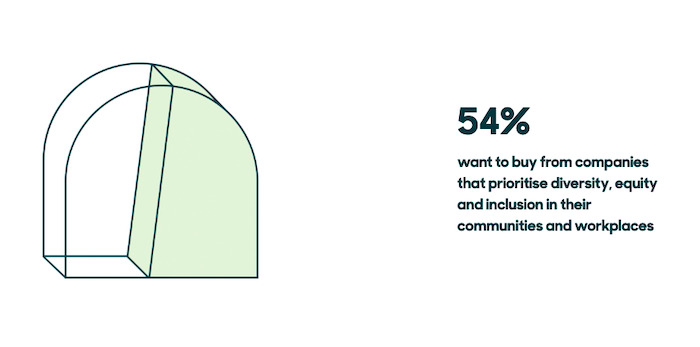
At the same time, it raises the profile of your brand with everyone. More than half of consumers want to purchase from companies that prioritize diversity and inclusion, according to a report by Zendesk.
Millennials are even more loyal to inclusive brands. Seventy percent of them will choose a brand that demonstrates inclusion in its marketing efforts.
Inclusive content sells better, too.
The Psychology of Inclusion and the Effects in Advertising by Microsoft Advertising found that the purchase intent of the most inclusive ad in their study was 13 percent higher than the next most appealing ad and 23 percent higher than the average.
Finally, creating inclusive content demonstrates your brand’s commitment to change. Fail to do so, and you’ll look like a brand unwilling or unable to learn or grow (or worse, paint your brand as one that doesn’t care about social issues).
6 Steps to Create More Inclusive Content
Even if you think you already write in an inclusive manner, there’s almost certainly an opportunity to grow. The six steps I’ve outlined below can help even the most experienced content creator to be more inclusive.
1. Look for Blind Spots
Who are you currently creating content for? That should be the first question you ask yourself as you start to write in a more inclusive manner.
While having a target audience may help narrow your focus and improve your PPC campaigns, it won’t necessarily win you any fans when it comes to your content. For one, a customer persona rarely fits every potential customer. If the language and imagery you use only appeals to a specific demographic, you risk alienating potential new customers.
Furthermore, you should use inclusive language and imagery in your content to not alienate your target audience.
The good news is that as soon as you start writing for a wider audience, you’ll suddenly find that your content is much more thoughtful and appealing than any of your competitors. Most marketing efforts still lack diversity and inclusivity, especially when it comes to content marketing. Just identifying and fixing your blind spots can breathe new life into your efforts—and help you build important relationships with a variety of stakeholders.
2. Make Your Content Accessible
How you present your content can be just as important as what you say from an inclusivity standpoint. If you want your writing to be accessible, then you need to start by making your entire site accessible.
Start by making sure screen readers can interact with every page on your site, but especially your blog. Next, make certain the alt text on your images is relevant and not just used to stuff keywords into your article. Screen readers rely on alt text to describe pictures and other visual content.
To that end, captions should also be added to videos. This doesn’t require a huge amount of effort. A tool like Kapwing makes it easy to add captions.
That’s just a start, though. You can do many other things, which I’ve covered in my article on ADA website compliance. These include:
making sure your website is navigatable by keyboard
reducing excessive motion in design elements
ensuring your site doesn’t ignite physical triggers
improving your website’s color contrast
making sure your site works with all browsers and accessibility tools
3. Use Inclusive Language
The words you use matter. They have the power to inspire, but they also have the ability to divide and exclude. When it comes to creating inclusive content you have to be careful about the language you choose.
Adopting gender-neutral language should be the bare minimum. Instead of words like “mankind” and “salesman”, use “humankind” and “salesperson.” You should also avoid making gender-based assumptions. Politicians are not always male. A parent is not necessarily a woman. A gender-neutral pronoun like “they” is the safest bet in these scenarios.
For more examples, see the UN’s recent tweet on gender-neutral language.
Inclusive writing often goes beyond gender-neutral language, though. There are plenty of idioms and phrases that seem innocuous on first impression but that actually have harmful and divisive origins. Blacklist and whitelist come from discriminatory metaphors about race, for instance. Similarly, calling people crazy can exclude people with mental or psychiatric disabilities.
Other idioms can exclude people who don’t have the necessary background knowledge. Sport phrases are major culprits here. Using “out for the count” as a phrase wouldn’t typically make sense unless you know about boxing, or are a native-English speaker. A “ballpark figure” can be confusing if you aren’t familiar with baseball.
4. Ask for Audience Input and Additional Help
I mean it when I say creating inclusive content is an ongoing, repetitive process. To that end, you should be having an open and honest dialogue with your audience and other third parties.
The truth is everyone has very different world views, and, ultimately, you don’t know what you don’t know.
As good as these tips are (at least I like to think so), no one gets inclusive writing correct at the first time of asking. So encourage and embrace feedback. The more you discuss your work openly and invite readers to have their say, the quicker you can start creating genuinely inclusive content.
It’s not just your audience you should consult, however. A sensitivity reader can be a huge help when reviewing your writing for poor phrasing and insensitive language. A good editor should be able to do this for you, but there are also services like Writing Diversely, which lists specialist editors who can help.
5. Use Diverse Images
Stock images are known to often feature white, middle-class Americans or Europeans.
That’s not exactly great when you’re aiming to be more diverse and inclusive.
It’s not enough to just write in an inclusive manner. People like to see themselves represented in images because it makes them feel empowered, included, and capable. They’ll identify with your company and product more when they see people like themselves included in your content marketing efforts. It also makes it clear that you are writing for them specifically.
Thankfully, there is an easy fix. Make your blog posts more exclusive by including photos of people from different backgrounds. That can include people of color, non-traditional families, and people of different sizes and abilities.
There are plenty of diverse stock photo websites which can be used to help.
One of my favorites is Nappy, which features high-quality stock photos of exclusively black and brown people.
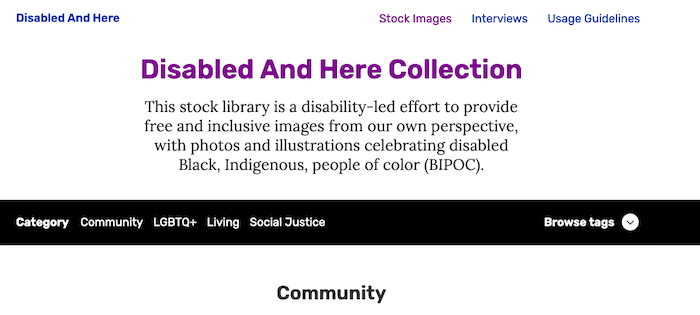
Another is the Disabled and Here collection from Affect the Verb. This stock library features disabled Black, Indigenous, and people of color with a wide range of disabilities and health issues.
Another option is to do away with stock photos altogether. Creating your own photos and graphs or adding screenshots to blog posts will let you put your personal touch on writing and make your pieces more informative.
6. Write in an Accessible Way
Being inclusive with your writing isn’t just about using inclusive language. The format and structure of your writing can also exclude readers.
According to the Organization for Economic Cooperation and Development, half of US adults can’t read a book at the 8th-grade level. In other words, flowery language and complex clauses aren’t going to cut it if you’re writing for laypeople.
Instead:
Use short words and short sentences.
Keep paragraphs short and use lots of subheadings to make it easy for readers to skim your content.
Avoid industry jargon, abbreviations, and other specialized terms that the average consumer won’t understand.
Use bullet points to break down lists of information.
Write in the active advice to keep your writing as concise and clear as possible.
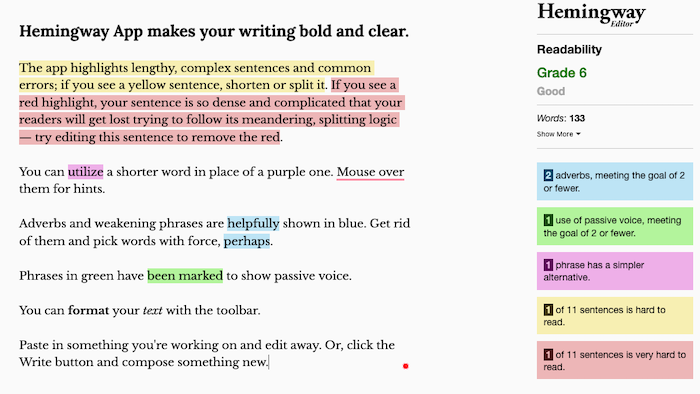
If in doubt about the quality and effectiveness of your writing, use a tool like the Hemingway App. The Hemingway App analyzes your writing and provides a grade-based reading level. It will also point out long, complex sentences, places where you’ve used the passive voice, and other issues with your content.
Inclusive Content Frequently Asked Questions
Why is inclusive content important in marketing?
Being inclusive and diverse helps position your brand as a forward-thinking company and improves your relationship with consumers. You appeal to a much broader audience and increase the likelihood consumers will purchase.
How can I make my content more inclusive?
Always use inclusive language and gender-neutral terminology. Include diverse images alongside your content and write in an accessible way that appeals to as many readers as possible. Follow all this up by making your entire site accessible.
What does it mean to be more inclusive?
Being more inclusive with your content is about increasing the number of audience members who will be able to relate to your content, or see themselves within it. Avoid using discriminatory terms and do your research carefully when writing content so as to not intentionally cause harm.
What is an example of an inclusive term?
Gender-neutral terms like businessperson and salesperson are examples of inclusive terms. Avoid phrases like guys and pump for “everyone” instead.
Conclusion: How to Create Inclusive Content
As you write content for your brand, it’s important to constantly come back to the principles I’ve discussed in this article. Remember, this is just the beginning. Creating inclusive content is an ongoing process that requires you to grow and learn as a writer.
Make sure you have everything you need to create inclusive content going forward by re-reading this article and integrating each of the steps into your style guide. Bookmark the stock photo libraries I highlighted and read up about inclusive words and phrases even more. I recommend this thorough guide by the National Assembly of State Arts Agencies.
Then get writing. Because the only way of getting better at creating inclusive content is to write.
Which step do you plan on using first to make your content more inclusive?
Disclosure: This content is reader-supported, which means if you click on some of our links that we may earn a commission.
Do you want to skip the read and get right to my top pick? The best VOIP phone services for most people are Nextiva, Ooma, or Ringcentral.
Buying VoIP for your business is going to save you money over a traditional phone line. And if you are using a clunky VoIP service from an ancient provider, you may be able to switch to something sleeker without losing anything except the frustration.
With old phone systems, you called your vendor to re-route a call path or set an employee up with a secure at-home workstation.
With VoIP phone services, these actions take a few clicks.
To write a really helpful post for my readers, my team got in touch with leaders who have used VoIP in different ways. You can find about 80 percent of what you need to know about VoIP anywhere on the web—here’s the 20 percent you can’t find anywhere else.
We spoke with:
Gregg, who manages IT services for a living. He knows the good and bad of different VoIP options and helps businesses stay protected from hacks.
Jason, who has been working in call centers for nearly 30 years and just bought VoIP for his enterprise organization. He’s attuned to what’s important for your employees, whether they’re remote or in an office.
Makan, who’s set up dozens of high-volume telemarketing teams. He’s learned how to reduce the risk of regulatory fines and identify top performers in an industry with exceptionally high turnover.
Sarkar, who manages sales teams in the B2B SaaS space. He walked us through how to sync VoIP and CRM software with the fewest possible headaches.
Look, I know what works for a company like mine. By speaking with a range of experts, my team and this article can help a wider array of buyers with different use cases or situations than my own.
There are companies looking to outfit offices in 20 countries. Others have to protect patient data. Some folks just want to stop using their personal mobile number for work.
Here are the seven best VoIP phone service providers you can start using right away. After the reviews, you’ll find an in-depth buyer’s guide.
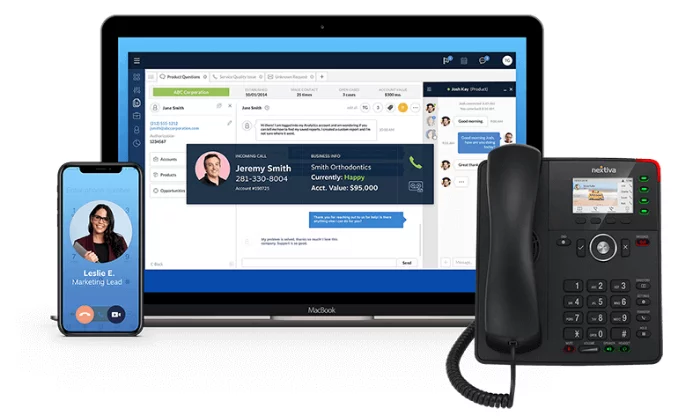
I hear a lot about the trends of working from home, but I don’t think anyone can say for sure what “office life” is going to look like two or three years from now. If you want your teams to stay functional no matter which way the wind blows, Nextiva is a solid choice.
It’s cloud-based VoIP, so your employees can come into the office, set up a desk at home, or use their phone on the go. Unlike an on-premises phone system, employees can use their phone without a VPN because they’re calling through Nextiva.
So, you have way less to worry about with security—which is definitely on the minds of managers who have people calling from hotels, coffee shops, and their home network.
The experts my team spoke with categorized it as a true plug-and-play system for businesses that want a dial tone without IT headaches. If your system is built on ten phones or fewer, you will have very little trouble getting Nextiva installed.
One thing that Jason pointed out, however, was that you’ll need to put some thought into compliance if you plan to take credit card numbers over the phone. But, for the most part, security is handled by Nextiva because everything is routed through their cloud.
Nextiva can scale to hundreds of phones if need be. There will be some backend configuration to get everything going, but Nextiva will help you deploy with a guided installation process.
And unlike some of the other companies that offer this type of flexibility, Nextiva can outfit your entire office. Fax machines, conference phones, multiple offices–whatever your setup, you’ll be able to transition it to Nextiva’s modern platform.
Level up your business phone by connecting it with email, text, and video—or centralize every channel within a single window for your employees.
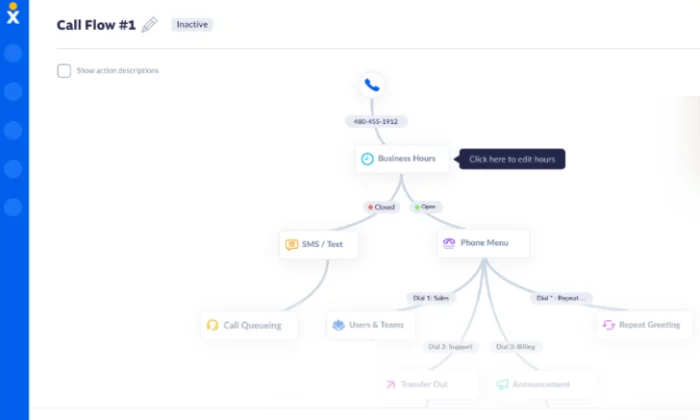
All the call handling and user administration features you’d expect are included. And when I say they are easy to use, check out the Call Flow Builder that lets visualize how routing is set up:
It can be tricky to configure auto attendants in some platforms, but it’s drag-and-drop easy with Nextiva.
The company has done a lot to make everything as easy as possible on end users. If you’re wondering whether or not you have the necessary internet speed at your office, you can test it right now on Nextiva’s website. Simulate the traffic required for two or 200 phones. You’ll get info on speed, but also jitter and everything that goes into whether or not you can reliably make calls.
You can also use the site to test the speed of remote workers who need to be on call, which Jason highly recommended. If their home network doesn’t support VoIP, you may be looking at an expensive hiring blunder.
Nextiva offers 24/7 support for every plan. That’s not typical, especially for VoIP at such an affordable price (which is currently on sale too!)
Essential: starting at $18.95$11.95 per month per user
Professional: starting at $22.95$20.95 per month per user
Enterprise: starting at $32.95$26.95 per month per user
These are the annual prices—it’s a little bit more per user to pay month to month, but you don’t have to sign a contract.
The Essential plan is going to work for many teams. It includes unlimited voice and video calling, a free local and toll-free number, and 1,500 toll-free minutes. That’s a lot more than you are going to get with other entry-level plans.
Unlike RingCentral, there’s no user cap for the Essential plan. This means you can offer more people unlimited voice and video at a low price, rather than having to upgrade once you hit 20 users.
For conference calling and business SMS, you’ll need the Professional plan. This comes with Salesforce, HubSpot, and Zendesk integration. Essential only has integration with Outlook and Google Contacts.
At the Enterprise tier, you get integrations with CRM software and single sign-on, which is a huge boon to remote workers.
Nextiva One is the company’s omnichannel solution. If customers reach out to you through a variety of channels in addition to phones, this might be a good idea.
Your employees can see all communication with each account, which is really helpful if people are logging help desk tickets, chatting, reaching out on social media, and so on.
Jason argued that omnichannel also makes administrators’ lives easier. “I don’t have 10 systems to manage,” he described to us, “it’s all within the same system.”
You can coordinate ecommerce with a call center or tie multiple brick and mortar stores into a single system.
You also have one bill as opposed to dozens and you’re not chasing down information across multiple platforms. If a customer has an issue, you can go back through the entire record quickly, regardless of how they got in touch.
Organization is just easier with Nextiva. Staying on the same page with customers and your employees is as simple as logging into the system, no matter where you are.
For teams that don’t have an office to coordinate activity, Nextiva is the best VoIP solution.
It’s a product that employees new and old can start using immediately on whatever device they have. Should they ever have an issue, Nextiva’s reputable customer service is there to provide support.
If you are looking at the way features break down in the different packages and you don’t find a perfect fit, just reach out to Nextiva. You can purchase any feature a la carte.
#2 – Ooma Office Review — The Best for Adding VoIP to Existing SMB Phone Systems
If you are holding off on replacing that aging phone system, Ooma can help you install business-class VoIP with minimal disruption to your work.
Any phone you have that’s still working—analog or IP—is going to hook right into your new Ooma system. You can also buy phones from them at a great price and they will be preconfigured, ready to go out of the box.
Ooma Office is going to work fine for most users, coming with 35 VoIP capabilities and a really powerful mobile app. Employees can make calls and collaborate with their colleagues in the app, whether they are in the office or on-the-go.
One thing Gregg pointed out was how expensive it can get to customize your setup if you have to pay per extension. With Ooma, every user gets a number of free extensions: one for conferences, one for online faxing, and one for a Virtual Receptionist.
Virtual Receptionist is Ooma’s term for an auto attendant. You can set it to play custom messages about business hours, let callers dial by name, select a preferred language, or route the caller to another extension.
With other vendors—especially ones that cost as little as Ooma—you often wind up paying extra to enable online faxing. Some VoIP phone service providers don’t even accommodate it.
When Jason sent his business requirement document to vendors, “two companies bailed out right away” because they weren’t able to set up fax machines. Most of the other vendors told him “they don’t really do that,” but they would try in order to get the business.
With Ooma, each of your users can set up their own fax extension for free. Problem solved.
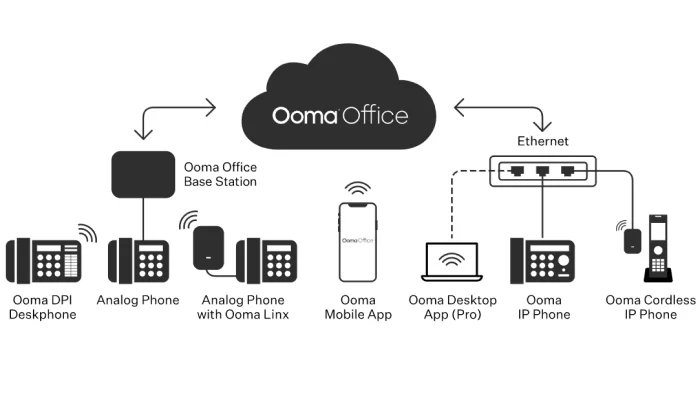
When it comes to integrating VoIP with existing equipment, Ooma minimizes the steps you have to take and maximizes your flexibility. Connect to Ooma Office via WiFi, ethernet, or use the base station to get analog devices on board.
Think of it as a cloud-based VoIP solution that’s really good at accommodating your existing equipment. It might take some time to configure a large office, but the administrator portal is straightforward. It’s not the prettiest interface of all time, but it’s stupid simple to use.
While Ooma offers solutions for enterprise, their VoIP phone services for small businesses really stand out from the pack. There are no contracts, affordable pricing, and the customer service is fantastic.
Usually to get the best price on VoIP, you need to sign up for a year at least. Ooma’s price is what it is. For small business, Ooma pricing breaks down into two tiers:
Ooma Office: starting at $19.95 per month per user
Ooma Office Pro: starting at $24.95 per month per user
Upgrading to Pro, you get the desktop app, video conferencing, call recording, enhanced call blocking, and voicemail transcription. You’ll also be able to host conference calls of up to 25 people, whereas Ooma Office has a limit of 10.
You don’t have the choice of selectively upgrading users with Ooma Office—it’s all employees on one plan or all employees on another. But, at just $5 per user to upgrade, you’re still falling in the average range for VoIP.
And, if you upgrade, you can set people up on their computers with a softphone, which means you have less hardware to buy.
You can avoid buying phones without upgrading by having people call from the mobile app (which is included with Ooma office), though Gregg warned us that VoIP can be hard on a cell phone. “Yes, you save money because you’re not buying physical equipment,” he said, “but it can drain the battery life right out of the device.”
Transition to the cloud at your own pace. Keep your equipment and manage it yourself with way less work than a traditional set up. Get a quote, sign up with Ooma, and start saving money today.
#3 – RingCentral Review — The Best for High-Volume Outbound Calling
RingCentral gives you unlimited calling, texting, and video conferencing at a competitive price. If you just need the phones and texting, you can get an even better deal.
Forget about per-minute charges and set up employees with VoIP that’s easy to use. For call centers, customer service, sales—anyone who has people on the phone constantly will appreciate RingCentral. This is especially true if you have to train new employees all the time.
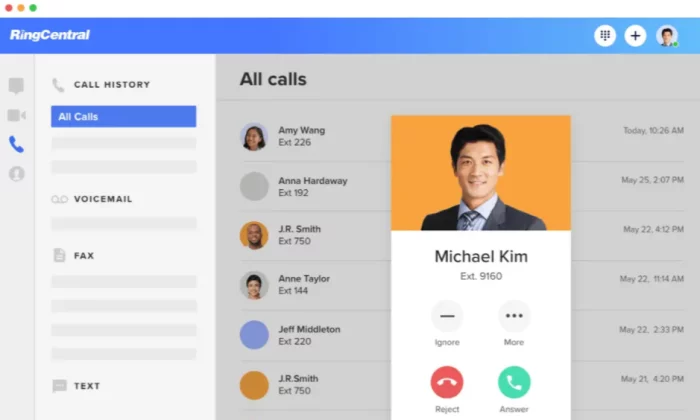
First off, they’ll be able to use the interface. It’s intuitive to anyone who has used a computer. Administrators and managers will find they can shorten the time it takes to turn rookie hires into skilled ambassadors for your company.
“You save a lot of money because you can identify hires that aren’t doing a good job and wasting their time,” Makan told us. He’s set up a lot of telemarketing call centers with RingCentral and has really valued the ability to “tell right away who’s worth the money.”
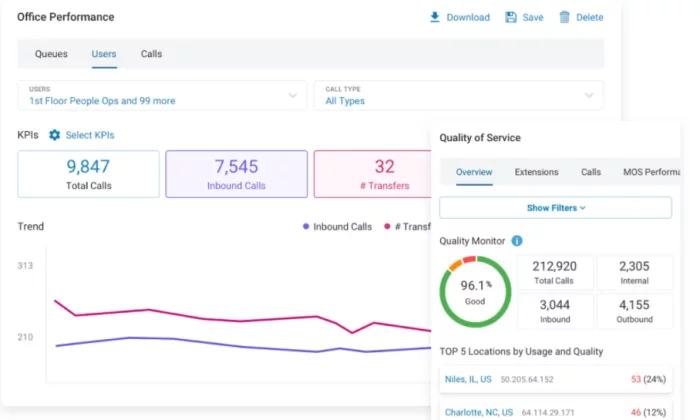
The ability to track calls, KPIs, and listen back to recordings was like night and day for him compared to working on a landline. Teams can listen back to calls that went well (or poorly) to get a sense of how to better capitalize on each opportunity.
The reporting features aren’t going to take a data scientist to glean insights from. Find your top performers and figure out what they’re doing. Identify people who aren’t a good fit and let them go.
I hear a lot of marketing word salad like “this tool optimizes performance,” all the time. RingCentral walks the walk.
“You can actually predict your sales,” Makan said, “I know it’s difficult to fathom, but it’s true.”
He was able to figure out that 2,500 calls lead to one listing. This told him the number of minutes people needed to be on the phone in order to stay profitable. Over time, he could see how many listings an employee should be generating in their first month, second quarter, and so on.
You’re likely going to measure different KPIs, but it’s the same idea. With the kind of visibility that RingCentral provides, you can distill the numbers to simple metrics that hold employees accountable. You know ahead of time what your sales are going to look like, and you can scale up or down accordingly.
There’s a lot about RingCentral that’s well suited for large-scale calling. Admins don’t have to be IT wizards to add new users and give them access to specific resources. They’ll be able to provision new hires quickly. When someone leaves, they’ll be able to switch around accounts and recycle the number, so you don’t wind up paying for lines you’re not using.
If you have turnover—as many high-volume calling occupations do—you need to be mindful of your database integrity. RingCentral makes it easy to limit access to resources and revoke it if need be.
You’re definitely going to be using a CRM (or some form of database) to call at scale. RingCentral integrates with a lot of them. You want to keep that information private.
Another liability for call centers that RingCentral helps you navigate is compliance, which is crucial if you are making a lot of cold calls or using an auto dialer. There’s a TCPA safe dialer, which helps agents avoid bringing a “robo-call” lawsuit down on your company. Instead of worrying about messing something up, they can focus on the person they are talking to.
The DNC list features are also easy to use. Integrate with third-party tools to constantly update your list, and quickly show your employees how to maintain your own internal list.
RingCentral is HIPAA compliant, which means the standard for privacy and security is incredibly high. Fines for HIPAA violations are very steep, and that’s not the worst that could happen.
Selecting from RingCentral’s range of packages, you can replace your phones with VoIP and save a little money or completely outfit an omnichannel call center.
RingCentral MVP (formerly RingCentral Office) has four tiers to choose from:
Essentials: starting at $19.99 per month per user
Standard: starting at $27.99 per month per user
Premium: starting at $34.99 per month per user
Ultimate: starting at $49.99 per month per user
These are the prices if you sign up for a year of service, which reflect a 33% discount on the monthly rate.
The Essentials plan is capped at 20 users. You get unlimited talk and text, as well as document sharing, which can be helpful for sharing sales and customer service scripts. You also get team messaging, which is especially helpful in the days where not everyone is coming into a physical office.
With Standard, you get unlimited fax, video conferencing and integrations with Google Workspace, Microsoft 365. There’s no cap on users, either.
But if you are going for high-volume calling, I really recommend getting Premium. You get the CRM integration that is so important for dialing into your metrics and communicating effectively at scale.
At $10 above the average cost of VoIP, Premium is a steal. Remember, that VoIP average is for voice only and with RingCentral MVP you’re getting texting, video, and advanced call handling features that other “average” plans do not include.
Managers will be able to listen in on live calls and “whisper” advice. The employee can hear them, the caller can not. From what I found, features like this from other vendors were usually reserved for plans that cost upwards of $50. So in that sense, I’d consider RingCentral MVP well below the average price-wise.
RingCentral offers contact center software, as well, which will unify your communications. Your agents will be able to see a complete record of a customer’s history. When did they call, when did they chat? It’s all right there. You’ll have to get in touch with RingCentral for Contact Center pricing.
This is my number one pick for people who have to make a ton of calls. RingCentral helps you protect yourself from a number of the liabilities that come with outreach at scale. It also gives you the viability and tools to stay efficient and maximize each employees’ ability to contribute.
#4 – Phone.com Review — The Most Affordable Professional-Grade VoIP
Phone.com is a smart choice for businesses that are looking for budget-friendly VoIP. You can have unlimited calling or pay less for a set block of minutes each month.
One of the really cost-effective features of Phone.com is that you can mix and match plans. Give the sales team unlimited plans and save money on each employee that only uses the phones occasionally.
And, with the Basic plan, you’re still getting most of the standard VoIP features like call handling, auto attendants, hold music and so on. You’ll have to upgrade to get HIPAA-compliant video conferencing, for example, but you can host up to 10 people in a regular session with Basic.
With most other vendors, you have to upgrade the plan for all your users. Phone.com can really help you keep costs down by giving users the features they need. This is one of those licensing irregularities that Gregg told us about, where it can work out well if you know what you’re doing.
Phone.com lets you pick what you need. Call recording and inbound faxing is extra, though you’ll be able to send faxes from your phone with any plan.
Nextiva and RingCentral are a little bit more robust, especially when it comes to reporting and analytics. In terms of CRM integration, Phone.com is limited to AllProWebTools and Zoho.
But some businesses just need a reliable phone with call handling capabilities they can manage themselves. Phone.com does more than that, and it’s just enough cheaper than those other options to net a sizable savings.
Offer your customers the ability to text when they have questions. Phone.com keeps all of your employees’ messages organized. Come for the phone system, stay for the messaging.
To use IP phones, you’ll have to be on an upgraded plan. The company offers really great prices on popular phones of all styles. You can use what you’ve got, too, as Phone.com supports a range of hardware.
Using your own equipment will definitely lessen the initial outlay, but in talking with Gregg we learned that older phones can get hacked. Just make sure that the processor isn’t too far behind what Phone.com is trying to sell you, and get ready to do some of the configuration yourself. You really can just plug and play if you buy equipment through Phone.com.
Pricing for Phone.com is low across the board:
Basic: starting at $10.39 per user each month
Plus: starting at $15.99 per user each month
Pro: starting at $23.99 per user each month
To get these prices, you’ll have to sign up for an annual subscription, which saves you 20 percent of the month-to-month price.
Basic comes with 300 minutes, which are pooled for all your users. This just means Basic users share minutes instead of having to worry about going over individually each month.
Each user also gets 1,000 pooled text segments. A segment is limited to 160 characters, which is way less than most phones can send in a normal text message these days. So it’s not 1,000 texts per month, unless you like to keep things brief.
Volume licensing brings the price down, both for users and for additional phone numbers. With 25 or more users, the price of Basic drops down to $8.99, Plus to $14.99, and Pro to $21.99.
Considering that Pro can hold its own with many of the call center VoIP solutions I’ve looked at, it’s worth checking out if you need a lot of phones on a tight budget. With HIPAA-compliant voice and video, it could be a good option for medical practices looking to support telehealth.
You really have to get input from every person and department using the phone system. Figure out the technology and functionality you need to support. If Phone.com fits the bill, it’s going to be a smaller one than you’ll find anywhere else.
Phone.com gives you a low price that scales up much better than OpenPhone, Grasshopper, and other lightweight VoIP solutions.
I wouldn’t use it to set up a call center—you’re going to have to fully rely on your CRM for all but the most basic reporting and analytics—but you’ll be able to get plenty of phones set up for normal business needs.
If you are thinking about cutting the cord with your traditional phone line, this option is going to save you the most money. Sign up with Phone.com today, no contract necessary.
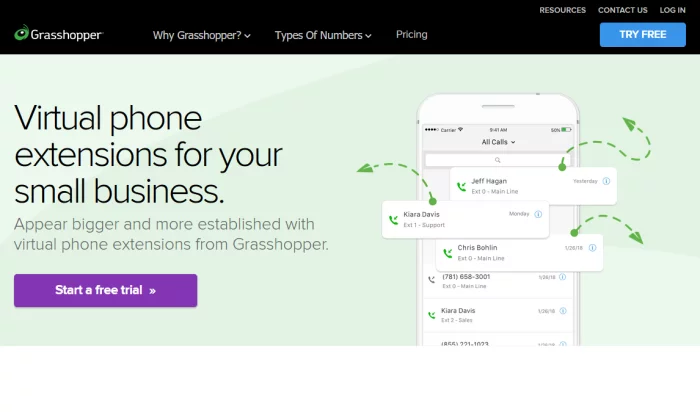
#5 – Grasshopper Review — The Best If You Need More Extensions than Phone Lines
Grasshopper is a great option for small companies that want to establish a professional identity without buying a very complex system.
I’m thinking about the restaurant owner that wants numbers for a few locations without having to pay for a traditional phone line going to each one. Or maybe the law firm that wants a few numbers with lots of extensions.
If you outline your business requirements and it turns out you only need the essentials, don’t pay more for things you don’t need. Grasshopper is going to set you up with everything you need for one flat rate each month.
You’ll get a suite of features designed for the daily work of a modern business, without the clutter aimed at larger organizations. There’s no need to upgrade just to access a particular feature. Every Grasshopper plan comes with unlimited calling, as well as every feature the company offers, such as setting up a phone tree, personalized greetings, call routing, and more.
There are even a few features, like instant response, that you won’t always get with other providers. If you miss a call, Grasshopper will automatically send a text message.
Simultaneous call handling and call forwarding lets you pass off calls to teammates when you’re busy. Voicemail transcription makes it easier to catch up on calls after hours.
Manage everything I just listed directly from the mobile app. Route calls exactly where they need to go—it’s just a few swipes on your cell.
You also get unlimited extensions with Grasshopper Small Businesses plans, and several free extensions with their other plans. Route calls to other numbers, mobile devices, informational extensions to answer FAQs, or a polite out-of-office voicemail.
Getting charged for extensions was something Gregg said people should watch out for in the contact they sign. The total cost can “go up real quick” if you have to pay for an extra line just to set up a voicemail extension.
With Grasshopper, you don’t have to worry as much. The entry level plan comes with one number and three extensions—perfect for the sole proprietor or founder to greet their callers with a professional menu and connect them with the right person.
Let’s take a closer look at your three options with Grasshopper.
Solo: starting at $26 per month for one number and three extensions
Partner: starting at $44 per month for three numbers and six extensions
Small Business: starting at $80 per month for five numbers and unlimited extensions
As I said, it’s really just the basics. There’s no CRM integration or call recording, so think about Grasshopper as a way to replace your phone system rather than revolutionize it.
That said, if you’ve been trying to work magic with free VoIP like Google Voice, the ability to set up call routing may feel downright revolutionary.
It’s also going to cost less and be way easier to set up than it’s more robust competitors. Toll-free numbers might take a day to start working, but typically your number is ready to go when you sign up.
If you want to add an extra line, it’s $10 per month. That’s a lot more than Phone.com for extra lines, which is why I don’t recommend Grasshopper if you need a ton. Plus, the interface isn’t built for handling a big system anyway.
But for the small office, it’s perfect. It doesn’t matter where you or your business partners work—people can be out in the field when a call comes into the office, or in a different city altogether. Grasshopper makes it easy to ensure your calls get where they need to go.
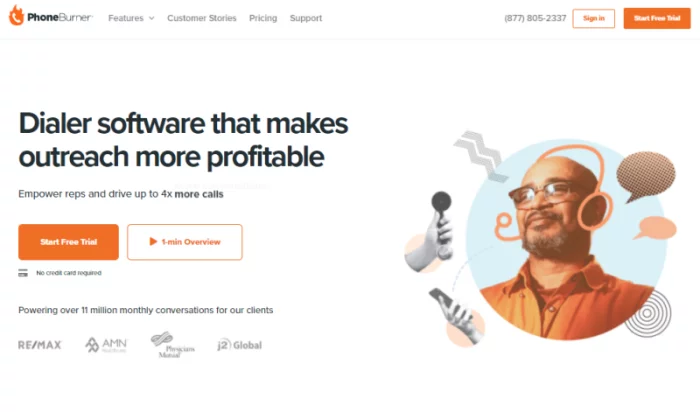
This product is a little different than the other VoIP options on my list. It’s a sales engagement platform, so it’s not designed to replace your phone system. Rather it’s designed to give outbound reps the perfect tool for prospecting, selling, and closing deals.
Is the team remote? Do people like to work out of the office? Not a drama. Your users can phone in from anywhere and start working through your hottest contacts.
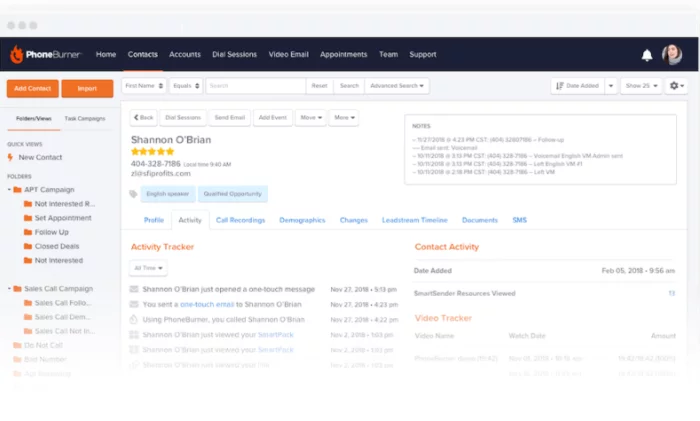
It contains a CRM and auto dialer software built into the platform. You’re not trying to make technology play nice—it’s all set up when you open the box. You can integrate with your own CRM if you want, or simply import your leads and start making up to 80 calls an hour.
I don’t know what your reps’ pace is now, but 80 calls per hour is smoking. There’s no “telemarketer” delay when the call connects, just crisp conversation like it’s over a phone line.
And, because the CRM is tied in, reps can see exactly who they’re talking to, what stage of the pipeline they’re in, and any notes left in the account.
Sarkar said that pretty much everyone in the B2B SaaS game is telephoning through sales engagement platforms now. The auto dialer makes your agents far more efficient by eliminating the busy work of dialing. “You barely have to click anything,” he said.
With PhoneBurner, you’re not manual dialing, tabbing through pages to find a number, or copy/pasting emails frantically before the next call. Instead, you can drop voicemails without waiting for the beep, send an appropriate email, or move a prospect to another folder with a single click.
For Makan, auto dialer software was crucial for large-scale outreach in telemarketing, but it was a pain to set up. You have to specifically program the CRM and the auto dialer. From there, it’s expensive to get the CRM software tuned to your industry. He mentioned one popular CRM option that cost $25,000 and $50,000, “just to get you all set up with the phones.”
With PhoneBurner, a lot of that work is off your plate. It’s not going to groom your database for you, but the fundamental CRM/auto dialer integration is already in place.
The company takes it a step further by offering one of the most comprehensive onboarding packages that I have seen for any product. Their team works with you on goals before you set up, runs you through a test session, and then trains your team on how to use the platform.
You also learn how to build reports so you can track performance. It’s easy to do this wrong, on any platform, but your PhoneBurner advisor is walking companies through the process, week in week out. They’ll get you set up with dashboards, leaderboards, and all of it is going to be customized to your goals.
Leads are distributed automatically, based on rules you set. Toggle between pre-set configurations, like Round Robin or First Come First Served, or customize your own settings. Make sure leads get to the right agent every time, with only a small amount of work on the manager’s part.
PhoneBurner isn’t cheap, but remember that this isn’t an apples-to-apples comparison with the other VoIP providers because you are getting the auto dialer and CRM built in.
Standard: starting at $124 per user each month
Professional: starting at $149 per user each month
Premium: starting at $166 per user each month
These are the prices if you sign up for a year, which basically gives you two months for free compared to paying monthly.
You’re getting unlimited dial minutes, which is obviously important if your reps are making a thousand calls each week. With PhoneBurner, that’s not hard to do.
Call recording is stored free for 30 days with the Standard plan, 60 days with Professional, and there’s no limit for Premium plans. There are also limits on the number of contacts you can store, which start at 10,000 on the Standard plan.
You’ll need to upgrade to Professional to get softphone capabilities. It’s not a big deal if you already have phones, but I imagine that’ll bother folks that want to use their tablet or computer.
With Premium, you get a dedicated inbound line, as well as some of the handling features. I would not recommend using PhoneBurner for serious inbound traffic—the other VoIP options are going to be way cheaper—but some teams will appreciate having a custom voicemail and the ability to forward calls.
On average, a rep can make 233% more calls with PhoneBurner than they can with a regular line.
Does the math pencil out for you? For Makan, it took 2,500 calls to generate a listing. What’s your metric?
#7 – OpenPhone Review — The Best Way to Run Your Business From a Mobile Phone
Jason warned us about going with the “newest and cheapest option,” so I was a little bit skeptical when I heard about OpenPhone. It’s only a few years old and it’s $10 per month.
That’s way less than the average cost of VoIP, cheaper even than some of the “budget” options I looked at.
But the more I discovered about the company, the more I liked it. OpenPhone is new, but certainly not fly-by-night. It’s a recent graduate of Y Combinator, the startup accelerator that helped launch AirBnB, DoorDash, DropBox, and Reddit.
Like those companies, OpenPhone has come to market with a new set of assumptions about how people are living and working. Instead of trying to replace a business phone system, as many Cloud-PBX’s claim to do, OpenPhone simply turns your mobile into a better phone for business.
It’s really aimed at the modern startup or small business, especially if the owner is one of those people who steers the ship from their phone. You’ll get a business number for your mobile phone. Go local, toll-free, or keep your own number, you choose. Porting your old number is 100% free.
Set up an auto-attendant so callers can get the information they need and connect with the right person. Establish a professional identity for your business in minutes. You’ll be reaching people on a stronger footing because you always know if an incoming call is business or personal.
There’s no hardware necessary and no more giving out your mobile number. Keep your privacy. Get numbers for your team and let them keep their privacy, too.
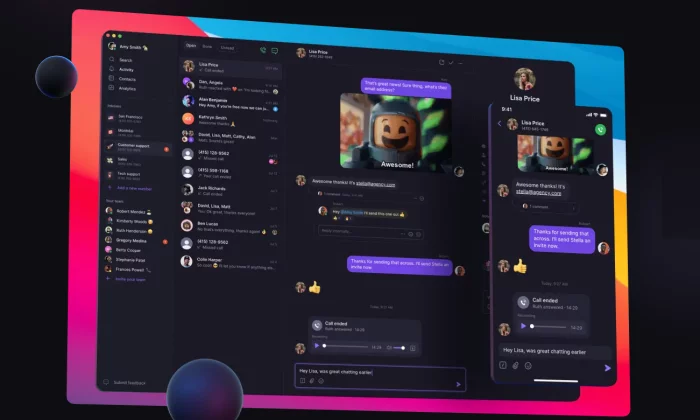
Where OpenPhone really steps away from the crowd is the shared inbox. You can have multiple people call and text from the same number. They can even make calls from that number at the same time.
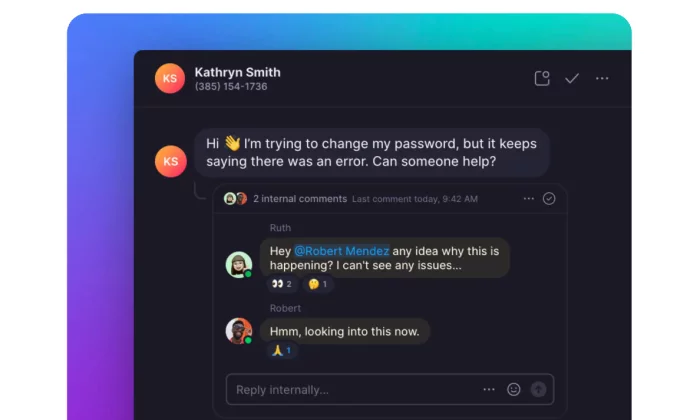
A lot of phone systems don’t include text messaging, let alone allow multiple users text in the same thread. With OpenPhone, you can text the way you normal humans do:
Tag users with @mentions to bring the right people into the conversation quickly. Group messaging is really helpful for collaboration, especially since you can send files, videos, and GIFs.
You’re just not limited with texting the way you are on a lot of other VoIP phone services. You can send snippets from templates as part of a campaign or auto-reply to missed calls and texts.
Managing contacts isn’t hard either, as you get limited CRM integration with Google Contacts or via Zapier. You can use HubSpot for a more robust CRM solution as well, which allows you to store recordings and view message histories with ease.
Keep in mind this is not going to be a full-blown CRM solution the likes of which I’ve described with PhoneBurner and others. You’ll need to get into HubSpot to make changes to contacts, for example.
Because it’s a young company, there will be additional and deeper integrations “in the future,” which I know can be frustrating. But if you are a young company as well, HubSpot’s free CRM software plus OpenPhone is just about the cheapest way I can think of to deliver the essential benefits of connecting VoIP and your CRM.
Standard: starting at $10 per user each month
Premium: starting at $25 per user each month
Enterprise: contact sales
Standard has most of what I’ve mentioned already, along with unlimited calling and texting. Bear in mind that it’s unlimited within the fair usage policy. According to the terms of service, for the Standard plan, you’re looking at 1,000 texts and calling minutes per month.
Though it’s not truly unlimited, that’s pretty generous. Phone.com caps their entry level plan at 300 minutes and 1,000 text segments, which is likely a smaller number of texts.
The Premium plan comes with HubSpot integration and more collaborative features, like the ability to transfer calls and an advanced auto attendant that gives you a wider range of call routing features.
Extra lines are $5. So, for the price of standard VoIP (around $25 pretax), you could get a company of four set up on the Standard plan.
There are other free ways to get a business number for your mobile phone. Go for it. Getting off the ground you need to save every dollar—I get it—but there’s a point where the inconvenience of trying to work around something like Google Voice starts to cost you money.
OpenPhone solves most of those problems for $10 per month.
How much does a single missed opportunity cost you? For a barber, maybe it’s a call from a stranger who would have spent thousands of dollars as a regular over the next few years. If only you’d been able to catch them.
It’s well worth checking out, and I have a feeling you’ll be hearing a lot about this company in the future. Try OpenPhone for free today.
What I Looked at to Find the Best VoIP Phone Services
I’ve been a small business owner who has needed the cheapest possible business line before. Like having a real number that people can connect to by using the “Contact Us” button on my Facebook page. I think it was still TheFacebook.com back then.
Now, I have people reporting to me about our VoIP options in Brazil.
Growing from a one-man show to a global operation, I’ve been on a few sides of this conversation. We’ve built a marketing machine and I know how we use VoIP—but my team wanted to get a wider picture of what’s going on to help more of my readers.
Some of you have on-call IT support and months to demo the best options. Others are completely on their own running a business and can’t sacrifice more than a weekend in order to find the best VoIP phone service.
Either way, you need to be able to separate the options that are working well for other businesses from the one that’s going to work best for you.
My team reached out to other leaders in the field to see what things looked like from their perspective. We don’t sell VoIP, for example. So, it was really interesting to think through buying VoIP with Gregg, who runs a managed services provider.
VoIP is just one of the IT services Gregg’s company manages, but over a few decades, he’s seen plenty of things go wrong, helped people out of bad contracts, and restored their business integrity after hacks. He offered a lot of insight on VoIP security and what people can do to make sure they’re not spending money on stuff they don’t need.
Technically, Gregg is a competitor with some of the services I recommend, but he was very frank and offered advice you are not going to find on any review site.
We also talked to Makan, who set up call centers for telemarketing in real estate. These are call centers where each employee is making something like 1,000 calls each week. His practical advice is hard-won in an industry that has a staggering attrition rate.
“You’re going to let go of eight out of every ten people who work for you,” Makan told us. New hires have to be brought up to speed, coached, and—when they have to go—be safely de-provisioned in order to prevent your database from leaving with them.
And simple employee mistakes can cost thousands of dollars in legal fines because telemarketing is so highly regulated.
But if you can do it right, the payoff is huge. Makan was able to use call center analytics to surface important metrics that guided his hiring, onboarding, and training. “We no longer have to keep employees for like a year and a half to see if it works or not,” he said.
In searching for the best VoIP provider, you’ll read a lot about using analytics to optimize performance. It’s not just marketing lingo. Makan explained how you can basically predict your sales with VoIP tied to a CRM, and scale hiring up or down accordingly.
Sarkar, a sales manager in B2B SaaS, also pushed the importance of VoIP/CRM integration. We talked a lot about how your sales strategy informs the buying decision.
Are you in a mature market that needs to handle inbound inquiries, or are you selling a novel product that requires you to hit the phones and educate prospects over a cold call?
Configuring a CRM to work with your VoIP, can be a ton of work. Sarkar helped us see how some companies save a lot of time and effort by using a sales engagement platform like PhoneBurner.
There’s just a lot to think about, depending on where you’re coming from. Jason has worked in call centers since 1992. He’s seen the market evolve from desk phones to headsets to AI. His eye for distinguishing meaningful advances from shiny objects that get you nowhere is unrivaled.
Talking through his experience with purchasing enterprise VoIP was extremely helpful in understanding how buyers have to work through their options methodically and coordinate with multiple departments to find a VoIP service that works across the entire organization.
And even though the scale is different, a lot of his guidance serves as practical advice for the small business owner. How do you know if remote workers have good enough internet for VoIP? How do you evaluate the quality of integration between VoIP and your key business software?
You may not have to buy as many phones or connect as many locations as Jason, but these questions still matter.
We covered a lot of ground in the interviews and research. Here are the three biggest takeaways that I think will benefit anyone shopping for VoIP:
The ability to self-manage is crucial: It used to be that you had to call your service provider to make any changes to your phone system. Want to add a user? Change a call path? The options I chose are simple enough to administrate without having to loop in IT. Admins won’t need technical support to accomplish their daily work. The problem is that some of the “bigger names” in the industry are stuck in the past. “It’s very cumbersome and convoluted,” Gregg told us. “End users are not making changes to it.” Avoid those and go with something you can manage yourself.
Identifying all of your business requirements early will save a lot of pain: Check in with every department that’s going to be using VoIP. What do they need, what would be nice to have, and what’s superfluous in their eyes? Your solution has to cover executives and receptionists, who will be using VoIP in different ways. You may be able to replace equipment like fax machines and conference phones—or you may have to find something that plays nice with inventory you want to keep. Jason created a detailed business requirements document and sent it to vendors. A few dropped out right away, which saved everyone time.
VoIP plus your other software and channels is the key: I’m really going to hammer on the CRM integration below because it was so important to almost every expert we talked with. But let me emphasize here the opportunity you have by connecting VoIP to your other business software. If your voice communication is tied in with live chat, email, texting, video, and social media, employees have everything in one place. They are looking at a complete relationship during every conversation, regardless of where it started. It also makes your billing a lot less complicated, especially if you have multiple offices. One bill for all your communications.
I looked for VoIP you can use right away. Admins will be able to make sure everyone is set up, and new hires will gain fluency quickly in the modern system. No more six-month deployments.
Companies like Ooma, RingCentral, and Nextiva can set up large offices very quickly. And if you have a small office, you may be able to get started this afternoon.
I wanted to find a few different products that work across every channel. These omnichannel solutions are more expensive, for sure, but they were worth it for virtually every expert my team talked with. It makes everyone more efficient because they’re not logging into different accounts and losing track of conversations.
I also looked at products that have a more limited selection of integrations and channels. These are way cheaper. Not everyone is trying to run a call center with VoIP—it could just be they want an 800 number on their ecommerce website. As long as their callers are routed correctly or greeted by a professional voicemail after hours, it’s all good.
Really, a lot of people get VoIP because they don’t want to give out their personal number for business anymore. OpenPhone will do just that. Grasshopper is perfect for the small office that needs the essentials covered and nothing more.
Alternatively, you can find a great deal on basic plans from some of the larger VoIP service providers. Ooma Office is a good deal no matter how you slice it. The Essentials plan from Nextiva is well within the small business price range, and can completely remove the need for an expensive traditional phone line.
Let’s walk through the big factors you have to consider. Evaluate your options like an expert by taking in the perspective from industry veterans and sales leaders.
Baseline VoIP Features
I want to focus on what makes these products different, not overwhelm you by describing every feature for every product. Once you start digging into VoIP, you’ll find that 30-40 different features is the low end in terms of what you get.
Every option I picked covers what I consider the baseline VoIP features, with some minor exceptions. You won’t hear me call them out unless there’s something superlative about how a vendor does it.
To be make my list of recommendations, the providers had to include:
Call handling features like call forwarding, call transferring, call waiting, and extensions, so that you never miss a call, no matter where you are.
Menus and auto attendants that let callers dial a certain department, listen to business hours, and so on.
Call recording that provides a history and playback of all calls, which is useful for training and sometimes necessary for legal reasons.
A mobile app that turns your cell phone into a business line
Online fax to replace the need for traditional machines while also digitizing documents automatically.
Softphone capabilities to let you make calls from desktops and tablets with just a headset.
Video calls and conferencing for meetings, webinars, telehealth, and more.
Voicemail transcription that turns your missed calls into a quick read by text or email
Some of the “entry-level” VoIP packages aimed at companies with five to ten employees only come with limited versions of these features. You may have to pay extra for call recording, for example, or go with a more expensive plan to get unlimited online fax.
Plans vary between basic business phone systems and premium solutions for call centers. The latter come with much more customizable call handling features, multi-level auto attendants, and deep reporting features that a small team isn’t going to miss.
Making a Cost-Effective VoIP Purchase
Traditional phone service, after tax, would be somewhere around $50 – $70 per month. In my research, I found many users switching to VoIP because they were paying a lot more than that.
I think this is how people “cut their phone bill in half” by switching to VoIP. They were getting dragged over the coals by their current phone provider. For people with a reasonable phone bill, the savings may not be so dramatic.
“It’s not some magic savings,” Gregg told us. “You’ll be saving a little, but not as much as you would think with your monthly phone service.”
But, since you’re probably going to be paying per-phone, even a $10 savings each month will add up quickly. The more intelligently you can select a provider, the greater your savings will be.
Let’s run through how to assess the sticker price, the real price, and everywhere you can cut costs by finding a system that fits your business.
Gregg said VoIP costs about $25 per user per month on average, which is basically what I found in my research. This is if you are paying for the phones outright or using softphones. If you’re renting desk phones, it’s typically about $10 per month extra, bringing the cost of VoIP to about $35 per user each month.
Call it $40 per month after taxes and fees. It’s not providers padding the bill, just the unavoidable government-mandated surcharges for the Universal Service Fund, which brings telecom to rural parts of the country and supports 911 emergency numbers.
Now you are definitely going to see VoIP for cheaper than $25 per line. I’ve included simple VoIP solutions like Phone.com and OpenPhone that are less than half that.
Typically, the tradeoff with the really low cost plans is that you’re getting a set block of minutes per month, whereas plans of $25+ tend to come with unlimited calling in North America.
For sales, customer service, and other use cases that require people on the horn all day, unlimited calling is a must-have. When you go over your set block of minutes, your VoIP savings can disappear.
If you are using auto dialer software over VoIP, you really need to avoid per-minute pricing. Makan did the math out during our conversation: if you have 100 employees expected to make 200 calls a day, you’re looking at 100,000 minutes per week. That’s way too much call volume to survive being billed by the minute.
Some providers, like RingCentral, Ooma, and Nextiva, offer plans in the $20 range for unlimited calling. So you can pay below average, but not have to worry about massive overage charges.
Another factor that can potentially lower the total cost of VoIP is understanding the licensing. For instance, is it going to cost you extra to add an extension? Are you paying per user, per line, per call path? Vendors don’t all charge the same way.
Gregg cautioned us that a lot of people don’t understand exactly how they’re paying in the contract. They go to customize something on their end, thinking it’s free, and then get shocked when the bill comes at the end of the month.
With Grasshopper, even the cheapest plan they offer comes with three extensions for free. This is great for a small business that wants one line for a few departments, or a startup that needs a basic phone tree.
Phone.com costs less to add a new number than Grasshopper, but you don’t get free extensions. The different arrangements can be confusing, but if you take the time to understand what you need, you can play it to your advantage.
If you are really trying to get VoIP on a budget, Jason warned us that you have to be a little cautious. It’s really easy to spin up a VoIP company these days—the technology is not new—and he laid out some horror stories of badd apple vendors pretending to offer reputable service and dropping clients as soon as they get their money.
“And since it takes about 30 days to port over a number, you’re kind of out of luck if that happens,” he said. The U.S. Department of Justice has prosecuted these cases, clawing back millions of dollars from phony VoIP fraud schemes.
Better to be safe than sorry, and use a VoIP provider like Grasshopper or Ooma that’s been around awhile. Or, a household name like RingCentral that is a publicly traded company. “I can’t imagine they would dump you in 10 days or anything like that,” Jason said.
Cloud-Based or On-Premises System
You can get VoIP infrastructure installed in your office (on premises), or use the internet to connect to the service (cloud-based). Either way, you’re paying less than you would for a traditional phone line, but there are important differences to understand.
There is a much higher initial cost of equipment if you go with an on-premises deployment. You have to buy the PBX, phones, routers, switches, etc., whereas a cloud-based provider hosts all of that themselves.
You can buy desk phones with a cloud-based solution and many people do. But, you don’t have to so long as you outfit employees with a softphone or a VoIP mobile app.
“When it’s cloud-based, you don’t have the big outlay,” said Gregg. “But you’re not really missing out by not getting the equipment because these systems come with a ton of functionality.” Some of the key capabilities he talked about were:
Your employees can work from anywhere in the world with internet
You’ll be able to self-manage features menu systems and call routing
You can scale up without buying equipment, and scale down without waste
You don’t have equipment to maintain and monitor
These are four of the top reasons why I only recommended cloud-based solutions.
Like any solution someone else is hosting, you do sacrifice a little backend control. You are limited to the features they provide, whereas an on-premises system can be completely customized to fit your exact needs.
But the end user can do the vast majority of what they need to with Ooma or Grasshopper. A shop-owner with zero IT experience can add an extension for a new employee or make changes to information about holiday hours provided by their auto attendant.
Most people get the control they need without the responsibility that comes with maintaining a system. If you need hundreds of phones and super customized configuration, an on-premises system may be your only option. That’s going to require IT overhead—hiring an MSP like Gregg to install, maintain, monitor, and replace your equipment—or hiring an in-house staff.
For many business owners, it would be a dream not to stress about the phones. The cloud-based providers I looked at offered nearly 100% uptime, and some offer financially-backed SLAs.
Like Gregg told my team, “You’re not so worried about the end at the main office being up at all times because your employees are connecting directly to the cloud-based server.”
The simplicity here is even more important if people are telecommuting or working out of the office a few days a week. It’s much harder to secure communications between external users and an on-premises system.
I’ll say more about that in the security section, but modern employees need access to company services at all hours. As such, cloud-based is becoming a lot more popular.
Greg told us flat out, “If you’re SMB in the ten phones range—give or take—it’s not worth it to do on-prem anymore.”
Larger companies will have more to think about, but VoIP providers like Nextiva, RingCentral, and Ooma can help you get set up regardless of what kind of deployment you need. With these vendors, you can really get the best of both worlds or make the transition to cloud at your own pace.
What Kind of Internet Speed Do I Need for Clear Calls?
Calls have to be clear. You can’t compromise on that, or you’ll wish you had your landline whatever the price.
So how do you make sure your setup handles VoIP?
Here’s the nuts and bolts of what I found: VoIP is not going to work on DSL. Cable might be okay for a small office, but it won’t be the greatest.
Fiber is what you want. It has the bandwidth you need and the upload/download speeds are the same, unlike cable.
Everyone we talked to about VoIP told us that running low on bandwidth is going to start causing issues—dropped calls, echoing on the line, and terrible conversations.
Here’s the thing, VoIP doesn’t need a blazing fast connection.
Gregg said that 100 kbps is good. 140 kbps is “like the most ideal, pristine phone call.”
So, if you’re on a 1 mbps line, you could potentially make ten phone calls. “Granted, you always wanna overcompensate for fall offs and whatnot, but that’s all you need speed wise,” he added.
Nextiva and RingCentral have VoIP plans aimed at smaller companies that don’t have commercial office infrastructure. They will let you test your connection right on their website. You’ll get all the information you need to figure out if you’re ready for VoIP, or you need to upgrade your internet first.
We’re not talking about a massive pipe here, the problems you run into are the stability of the connection. If you’re downloading a song, who cares if it takes two or three extra seconds? You wouldn’t notice. But when you’re having a conversation, even a slight delay is going to be a huge pain.
Any delay over 150 ms (that’s milliseconds) and your meaningful conversation is now impossible. For reference, a call over a landline has a delay of about 45 ms, so 150 is definitely the upper limit of what you want.
Any higher than that, you’re talking over someone or they missed what you said.
Making cold calls, helping an irate customer—it’s hard enough already. No one wants to repeat what they’ve said. And it’s not going to be good if someone mishears a credit card number.
“Where it becomes an issue,” said Gregg, “is if you have a cable modem that only has 5 mbps on your upstream, and everybody in the office is uploading stuff to Dropbox, OneDrive, and things like that, eating up that bandwidth.”
Remember the dark days where someone couldn’t be on the internet and the phone at the same time? Don’t go back. Make sure you’ve got the bandwidth to accommodate all of your users with all of their tasks.
Network and Hardware Considerations
Now you can have all the bandwidth in the world and still get bad VoIP quality if your network isn’t configured properly.
Small businesses don’t have to worry so much about this. According to Gregg, “If you only have five phones, maybe even as high as 10 phones, sure you could just dump them in on a network.”
He advised running a separate VLAN for anything beyond 10 phones in a single location in order to avoid quality issues. Separate the phones from the computers and prioritize voice traffic in the routers. This way, whatever your employees are doing won’t affect the quality of your calls.
Even with the so-called “plug and play” systems, you’re going to want to put some thought into network configuration if you are putting in more than 10 phones. “I mean you can just plug them in,” said Gregg, “but I wouldn’t be too hopeful about the quality.”
But it’s not just phones to think about. “The fax machines in the conference rooms really threw me for a loop,” Jason explained. “I’m like: I’m just buying a phone system!”
You have to be methodical. Where do the phone lines need to go? Are they connected to the security system? If you have PoE, you can just plug the ethernet cable into the phones, but if not, you’ll have to make sure there’s power running everywhere you want a station.
With a cloud-based service, you’re going to have to let the vendor behind your firewall.
Jason had an issue where one of his guys missed a key thing about the firewall requirements, and it delayed his VoIP deployment by about six months. “I was not too happy,” was all he said about that.
If you have a lot of traditional phones and fax machines that you want to keep using, I’d recommend Nextiva, RingCentral, or Ooma. They offer analog telephone adapters (ATAs) that allow you to VoIP-enable landline devices.
This allows you to phase out your old system gradually, instead of trying to Hercules your company through a massive (and much more expensive) transformation. It’s going to be painful to switch no matter what, but how long can you justify investing more money in an old PBX that’s twice as hard to use for half the functionality?
One last thing about using old phones. It’s great if you can use what you have or get a deal somewhere rather than going through the vendor.
Yet Gregg has encountered problems with aging phones. Hackers will try and log into the phones to start making spam calls. “We were seeing upwards of 100,000 attempts a day on a single phone system,” he recalled. The processors on the older phones weren’t powerful enough to withstand all the incoming requests, and the attack crashed the system.
So, definitely be on the lookout for deals and try to make the most with the equipment you already own. But just be cautious about buying a phone that has an older processor, because it might be a vulnerability.
Plus, when you buy a phone directly from your VoIP vendor, it’s pre-provisioned. It’s got a secure connection out of the box. When you start piecemealing things, you may lose that desirable plug-and-play functionality.
Make Sure Remote Workers Are Up to Speed
Cloud-based VoIP gives you complete freedom to go remote with ease. Connecting external users to an on-premises system has a lot more hurdles in terms of cost and security.
But even if you go cloud, which I highly recommend, there are a few things to be thinking about.
Remote workers need a solid internet connection for VoIP. When Jason hires someone working from home, the job post says they have to have a locked and secure WiFi.
He also has them take a speed test to make sure that their connections are robust enough to be able to take phone calls. He requires a minimum of 20 mbps download and 10 mbps upload.
It’s just a generic speedtest, nothing fancy. He sends them the link, they send back screenshots to verify. Jason said most people “blow those upload/download times out of the water,” but you need to be sure.
With telecommuting employees, you also have to think about training and management at a distance. I know I’ve said that the premium VoIP plans from vendors like RingCentral and Nextiva are aimed at the call center crowd. Well it’s also true that those features become really important for collaboration when there is no office.
Sharing documents within the platform, like phone scripts, or the ability for a manager to listen in on a new hire’s first live calls—you can provide more support to develop your employees, even when people are working from home.
For a small team, OpenPhone can work really well. People can share an inbox, tag calls, leave comments, and ensure that no opportunities are missed.
People love to be able to work on the go, even if they’re not fully remote. One thing that surprised Jason was how important the mobile app was to the executives. They wanted everything forwarded to their cell.
Mobile apps are great, but they’re not without their downsides. Gregg said VoIP on mobile was great for saving money, but he wasn’t so keen on it as a full-time stand-in for using a computer or desk phone. “It’s nice in a pinch,” he said, “but if you wanna watch a cell phone battery drain out before your eyes, that’s a great way to go.”
Integration with CRM
My team asked Jason what the biggest thing you can do to help reps and agents is, and he said integration with your CRM.
This was a tune we heard from everyone, and it dovetails with my own experience. CRM software is a total game changer when it comes to growing your business and providing service to customers.
Look for a VoIP phone service that has integration with your CRM. If you don’t have one, Nextiva and PhoneBurner have one built in that you can start using immediately.
The technology’s not new by any means, but CRM software has gotten really good in the last couple of years, and a lot less expensive. When you combine a CRM’s ability to track customer information with quality voice communication, the resulting experience for your employees is amazing.
A customer calls and their account information pulls right up on screen. There’s no digging for a file or asking for a customer to provide their name, ID, order number, etc.
Sarkar talked with us about how it increased his sales reps’ efficiency. “You get to have more conversations by cutting out the extra time you spend figuring out who’s calling.”
Really, every interaction is streamlined, which makes your reps and agents way more productive. If a customer has an order, the rep can see where it is. There are no extra steps to verify who’s calling, or ask them to dig up a purchase order number.
Saving seconds on every repetitive task adds up quickly. Employees can click-to-dial numbers within the CRM. Account information is centralized and agents can leave notes about calls. Everything is stored in a way that makes sense.
Makan put it well when he said, “Compared to a traditional phone system, voice over IP integrated with the CRM is hands down like: before iPhone [versus] after iPhone.”
The ability to record calls within the CRM was a huge factor for a lot of the people we spoke with. “In the past,” Jason said, “the systems that I’ve had for recording were kind of separate from the CRM, so I had to go chase that down. If somebody called in, I’d have to be like who do you talk to? When did you call? And that would be kind of a nightmare.”
When Jason moved to a new VoIP provider, integration with their CRM was the deciding factor. His company communicated on so many channels, all of which are recorded. The integration makes the process of listening back much easier.
“If you complain about a rep or something like that,” Jason said, “I can take your phone number, plug it in, and find every single call you’ve ever made over the last year, every chat, every email, every contact. It’s super simple. [It] saves me on time tracking down calls.”
For Makan, call recording was essential for assessing employee performance. “Traditionally, you give someone a dummy phone,” he said. “You don’t know how many calls they made, who they talked to, or what the level of conversation was.”
With VoIP, you can do quality control much easier. Listening back to the calls is easy. What went right? What could be improved? Identify who needs training and who’s not a good fit.
Makan explained how it really helps managers conserve their time and energy for quality candidates. They know who to invest in and who to send on their way. “I mean, you can tell in like 60-90 days. Any excuse they give, you can just listen to the quality of the calls.”
Be on the lookout for VoIP providers that showcase direct integrations with your CRM (and other software, for that matter). You absolutely have to demo it to see how that integration drives and works on a day-to-day level. If you want that “super simple” experience Jason was talking about for recording calls, the integration has to be tight.
Also be aware that the initial setup of your CRM and VoIP is going to take some time, especially if you are tying in multiple channels like talk, text, and chat. You need to customize it to fit your industry and use-case because the software is fairly general purpose out of the box.
“You can really geek out on it,” said Makan, “and that’s the challenge.”
Sarkar was a big fan of sales engagement platforms because they have the CRM built-in and they are already tuned for the job. Obviously you don’t want to use them for customer service, but something like PhoneBurner is going to supercharge a sales team with a lot less configuration required.
Convenient Compliance Tools Employees Can Use Without Thinking
There are a lot of regulations protecting consumers from getting robo-calls or having their credit card information stolen. So if you are making a lot of calls or taking financial information over the phone, there’s going to be telemarketing and privacy laws you don’t want to mess with.
I’m glad those regulations are there, but new hires (or just plain carelessness) can break a law by accident and get your company a heavy fine. I found that a single call to someone on the national Do-Not-Call registry could result in a five-figure penalty.
A single slip up could cost anywhere from $11,000 to $43,000. And that’s per call, as in you could get multiple fines if one of your employees screws up. If it happens multiple times, I doubt the government’s going to hit you with a smaller fine.
Or think about HIPAA compliance for healthcare providers. Accidentally exposing a patient’s protected health information can result in jail time. This is true even if the company didn’t know a violation had occurred.
And yet companies make calls and share private information all the time without going bankrupt or winding up in the slammer. This is because they use good VoIP providers that make compliance convenient for employees. Your agents get the proper tools so that they can focus on the customer instead of how to stay in the clear of arcane compliance laws.
Regardless of how big a business you are, if you are making a lot of outbound calls (especially if you’re using auto dialer software), you need to update your DNC list and use it to scrub those numbers from your call lists.
RingCentral, Nextiva and include easy-to-use features to make sure your DNC list is up to date. PhoneBurner has integrations with DNC.com in order to keep people safe.
Makan, whose agents made thousands of calls a week, said that Zoho CRM in conjunction with RingCentral was the cheapest possible way to set your employees up for success. You just have to keep up on your DNC list grooming, “because that’s something you’re gonna run into a lot, and they need to scrub the numbers that they call up.”
Recording calls is another area where compliance is important. These laws vary state to state. In New York, you don’t have to tell people the call is being recorded. In New Jersey, you do.
Products like RingCentral let you automatically notify people that the call is being recorded, so you’re covered. This allows your teams to think less about how to make legal calls.
Jason told us about one of the features that sold him on going with their VoIP provider. It’s illegal to record credit card numbers, so employees need to remember to pause the recording while they take that information.
“And as you can imagine,” he said, “if you take 1,000 or 1,500 calls a month, you’re bound to forget that a couple of times, or miss it, or forget to pause, or forget to unpause, which is a big no-no in our area.”
The VoIP service he chose automated this process within their CRM so employees didn’t have to think about it. As soon as their cursor was in the payment info box, the call stopped recording.
“So my reps don’t have to remember to turn that off, and that’s just super easy,” Jason said. “I don’t have to worry about PCI (Payment Card Industry) compliance. I don’t have to worry about, ‘Hey, if you forget, tell me so I can go delete the call out of the system.’ What if we delete the wrong call?”
Take every opportunity you can to automate compliance. The potential liabilities from a single oversight are enough to justify the cost of spending a little more each month on your VoIP, CRM, and training.
Security
No one wants to pay for $20,000 worth of phone calls they didn’t make. That’s what happened to a client of Gregg’s before they properly secured their VoIP. Someone hacked it and used it to start blasting out scam calls.
Security is a major concern for any internet-based service, and VoIP is no exception.
It’s pretty straightforward for on-premises systems if all your phones are in one location. Set rules in your router so that no one can connect to the phone system except the phone service provider.
Gregg said, “As long as that’s configured you’re solid, and you can’t get hacked because the traffic can’t get there from anybody else.”
Securing an on-premises system gets a lot harder if you have people working from home, which is why a lot of companies are opting to go the cloud-based VoIP route. Residential addresses don’t have static IP addresses, so you can’t set rules in your router.
“The only appropriate way to do it is using a VPN service,” explained Gregg. “If you leave the ports open so that anyone can connect, you’ll see that the phone system will get hammered constantly.”
With cloud-based VoIP, the provider is ensuring that the right people are calling into their system. You still have to maintain good security hygiene at your company—long passwords, principle of least privilege, and de-provisioning old accounts.
These last two points are really important. You need to make sure that employees only have access to the data that they absolutely need. If possible, they should have read-only access. And when employees leave, you have to de-provision them.
For one thing, you don’t want to pay for old accounts that aren’t in use. If you have high turnover, be careful to re-use old numbers you’re already paying for, rather than buying extra ones. You don’t want to be shocked by a bill that has dozens of lines you’re not using.
“People need to be aware of sabotage,” said Makan. “If you get a disgruntled employee, they can wipe out the database, if you don’t back it up. Or they copy it. Or they just start corrupting the numbers and changing things in there.”
If you adhere to the principle of least privilege and are on top of booting old users out of the system completely, the risk of sabotage is near zero. If not, you’re putting your data integrity in jeopardy.
VoIP phone services like RingCentral, Nextiva, and Ooma make it easy for administrators to keep track of who has what privileges. You won’t need an infosec credential to keep all the accounts locked down.
Conclusion
My top recommendations are Nextiva, Ringcentral, and Ooma. They are affordable, reliable, and easy to set up.
If you need a full-fledged VoIP platform on the cheap, consider Phone.com.
Grasshopper is great if you’re more worried about having enough different extensions instead of unique, dedicated phone lines.
Need something that’s more suited to support your sales teams’ efforts. Look at PhoneBurner for a sales engagement platform that includes an auto dialer.
If you’re a solo operator or just someone who is sick of having to use your personal number for running your business, OpenPhone gives you an easy and cheap way to get a professional number and VoIP service.
Ooma Office – Best for adding VoIP to Existing SMB Phone Systems
RingCentral – Best for high-volume outbound calling
Phone.com – Most affordable professional-grade VoIP
Grasshopper – Best if you need more extensions than phone lines
PhoneBurner – Best off-the-shelf VoIP for sales teams
OpenPhone – Best way to run your business from a mobile phone
Regardless of the route you go, don’t forget to consider your requirements, budget, and the criteria we talked about as you go through the process of choosing the best VoIP phone service for your business.
Have you used a VoIP service provider in the past? What was your experience like?